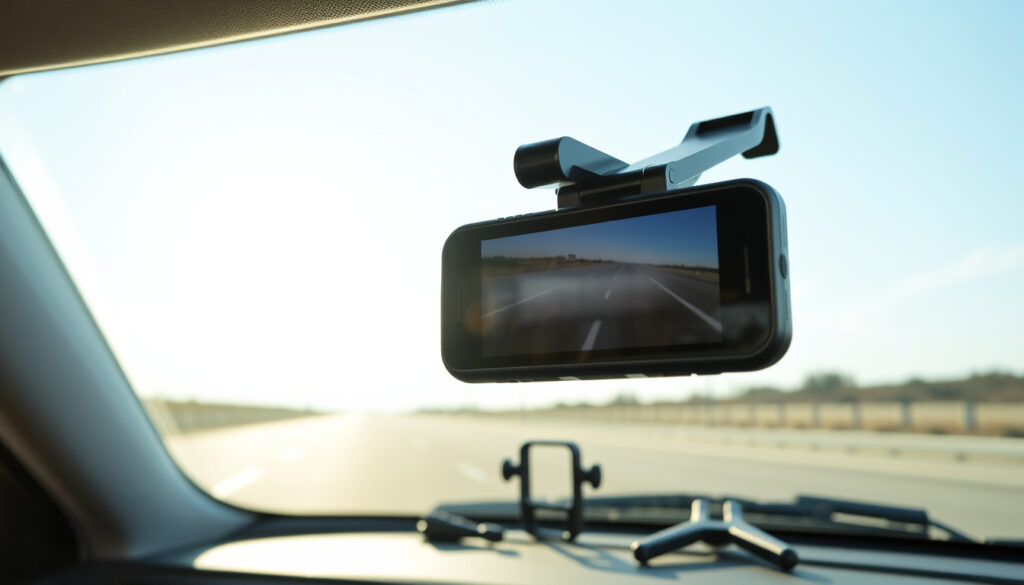
Navman Dash Cam: Reviews, MiVue 4K Models & Installation
Most drivers know the sinking feeling of a near-miss with no proof — and dash cams have become the default fix. Navman, once synonymous with GPS units, has pivoted hard into dash cam territory, betting its future on cameras rather than navigation. The question is whether its 2025 lineup can compete with purpose-built rivals. Let’s find out.
Resolution Options: 4K PRO, HD · Key Models: MiVue True 4K PRO, MiVue 270 · Features: 360 degree view, Night recording · Retail Availability: Harvey Norman, Navman Australia · Usage: Front and rear, Motorcycle cams
Quick snapshot
- Navman offers dashcams with HD and 4K recording (Tech Guide)
- MiVue True 4K PRO Surround ships with 128GB microSD included (Tech Guide)
- All 2025 models have three-axis G-sensor with GPS and speed tagging (Tech Guide)
- Exact search volume and market share data for Navman dash cams
- Long-term reliability statistics for 2025 models
- US and EU availability beyond Australian and New Zealand markets
- 2025 range unveiled with first three-camera system
- MiVue True 4K PRO Surround leads the lineup at $529 AUD
- MiVue Rider DC brings motorcycle-specific option to market
- SmartBox accessory enables parking mode monitoring
- ADAS features rolling out across the full 2025 range
- Wi-Fi sharing to smartphone becoming standard
| Specification | Detail |
|---|---|
| Manufacturer Site | www.navman.com.au/products/dashcams |
| Retail | Harvey Norman Australia |
| Top Model | MiVue True 4K PRO Surround |
| Fleet Option | Teletrac Navman Smart Dashcams |
Are Navman dashcams good?
Navman has carved out a credible position in the dash cam market by leveraging its long-standing reputation for reliable in-car electronics. The 2025 lineup shows a brand willing to push technical boundaries — most notably with the MiVue True 4K PRO Surround, the first three-camera system from any major Australian brand.
Navman MiVue models overview
The MiVue range spans from entry-level to flagship, each tier serving a distinct use case. At the premium end sits the MiVue True 4K PRO Surround at $529 AUD, featuring a Sony Starvis 2 sensor that captures 4K UHD from the front camera while the rear module provides near-360-degree coverage through dual lenses pointed out the side windows (Driven Car Guide NZ). The package includes 128GB microSD, an 8-meter rear cable, and ADAS features including lane departure warning, forward collision warning, and blind spot monitoring.
For Australian drivers who want comprehensive coverage without the Tesla price tag, the $529 PRO Surround fills a gap purpose-built dash cam makers have largely ignored.
Stepping down, the MiVue True 4K at $279 AUD delivers the 4K front camera experience at roughly half the cost, paired with a 1080p rear and 64GB card. The MiVue True 4K DC at $349 AUD adds parking mode capability, while the entry-level MiVue 270 Safety at $179 AUD serves budget-conscious buyers with 2.5K Quad HD and fatigue monitoring (Tech Guide).
User reviews and comparisons
Reviews from independent outlets paint a generally positive picture. Gay Car Boys described the PRO Surround as “the next best thing without needing to remortgage or sell your organs” compared to Tesla’s full-surround system. Digital Reviews concluded the three-camera setup delivers on its core promise of eliminating blind spots.
Setup complexity remains a friction point — user reviews on Product Review mention that Navman dash cams require specific SD cards and that the initial configuration can frustrate buyers who skip the manual (Product Review). However, those who follow the official Navman guide report smooth operation thereafter.
The 2.7-inch LCD screen on the PRO Surround sits below the unit’s viewing line — reviewers note it takes your eyes off the road longer than ideal for quick glances.
How do I get footage off my Navman dash cam?
Exporting footage follows two main paths: direct SD card extraction or wireless transfer where supported. Each method has practical implications depending on whether you need footage immediately after an incident or routinely review drives.
User Manual steps
The official Navman MiVue 6 Series manual (Navman Australia, official documentation) outlines a straightforward playback workflow: power the unit, enter the Playback mode via the menu, select the file date and time from the recording list, then press play. The process works without a smartphone, making it accessible for drivers who prefer not to install apps.
SD card removal and transfer
For physical extraction, power off the unit completely before opening the SD card slot — yanking the card while recording risks corrupting the last clip. Insert the card into a computer or dedicated card reader. Files are stored in standard MOV or MP4 format viewable in any major media player. Navman uses Loop Recording by default, meaning older files overwrite automatically once the card fills, so regular backups matter for anyone who wants to keep specific footage.
The alternative is Wi-Fi sharing to smartphone on models that support it. The Navman MiVue app lets you stream or download clips directly to your phone — handy for sending footage to insurers or police without handling the card itself.
What is the best brand of dash cam to buy?
Ranking dash cam brands requires separating spec-sheet leaders from real-world performers. Car and Driver’s 2026 testing ranked models across video quality, ease of installation, and reliability under Australian driving conditions — Navman appears alongside Nextbase, BlackVue, and other specialists in that competitive field (Gay Car Boys).
Top tested models for 2026
Testing from Car and Driver and comparable outlets identifies several categories of leaders: ultra-premium models with cloud connectivity and 4K across all channels, mid-range winners that deliver solid 1440p without feature bloat, and budget performers that prioritize reliable recording over advanced functionality. The dash cam market has fragmented enough that no single brand dominates every category.
Navman vs competitors
Navman’s advantage lies in its Australian market presence and support infrastructure — Harvey Norman stocks the range nationwide, and the brand’s local support team handles warranty claims directly. Against Nextbase and BlackVue, Navman undercuts on price at equivalent specs while matching build quality. Against budget imports, Navman offers the reassurance of established firmware updates and accessory availability (like the SmartBox parking mode kit).
The trade-off is ecosystem depth — Nextbase offers a broader range of dash cam-specific mounts and accessories, while BlackVue leads in cloud features and fleet management tools. For purely Australian buyers who value local support and don’t need cloud integration, Navman competes effectively.
How Navman stacks up against key competitors in the Australian dash cam market.
| Feature | Navman MiVue 4K PRO | Nextbase | BlackVue |
|---|---|---|---|
| 4K front recording | Yes | Yes | Yes |
| Rear camera included | Optional | Optional | Optional |
| 360-degree surround | Yes (PRO Surround) | No | No |
| Parking mode accessory | SmartBox ($59) | Hardwire kit | Built-in (premium) |
| Wi-Fi smartphone app | Yes | Yes | Yes |
| Local AU/NZ support | Yes | Limited | Limited |
| Price for dual-cam 4K | $279–$529 AUD | $349–$549 AUD | $399–$699 AUD |
Can I view my dash cam footage on my phone?
Yes — viewing footage on your phone is standard across the 2025 MiVue range, but the method depends on your model. Wi-Fi-enabled models connect directly to the Navman MiVue app for live view and playback, while non-Wi-Fi units require the SD card transfer workflow.
Live view options
Live view — watching the camera feed in real time on your phone — works on Wi-Fi-capable Navman models through the MiVue app. The feature mirrors what Garmin and Nextbase offer: frame the cameras, check coverage angles, or verify installation positioning without staring at the dash cam’s screen. Reviewers at Digital Reviews noted stable live view performance on the PRO Surround during testing (Digital Reviews).
Footage playback methods
Beyond live view, the app handles playback and file management: scrub through clips by timestamp, download selected segments to your phone’s gallery, and share directly to messaging apps or cloud storage. The alternative for all models — SD card extraction — remains reliable and requires no app installation. Schmicko’s installation guides recommend the smartphone method for ongoing monitoring but note the SD workflow as the fallback for any connectivity issues.
For drivers in accident disputes, having footage on your phone within seconds — rather than hunting for a card reader — can be the difference between resolved claims and prolonged frustration.
Wi-Fi connectivity matters most when an accident happens and footage retrieval speed determines how quickly a claim gets resolved rather than dragging on for weeks.
What is the most reliable dash cam brand?
Reliability in dash cams means two things: hardware durability under Australian conditions and firmware stability over time. Navman’s track record leans on heat tolerance — the 2025 models are designed for high-temperature operation, a critical factor for dash cams mounted behind windshields in parked vehicles during summer.
Reliability factors
Key reliability markers for any dash cam include thermal management, SD card compatibility, and firmware update cadence. The Navman MiVue 800 and 850 series earned positive marks from DashCamTalk forum users for ease of installation and stable operation over extended periods, though medium-confidence user reviews acknowledge occasional SD card compatibility quirks that firmware updates have addressed incrementally (DashCamTalk Forum).
Navman reliability insights
Navman’s local presence gives it an edge here: warranty claims process through Australian channels, and the brand’s support team can push firmware updates specific to regional SD card batches. Against grey-market imports, that local accountability matters. The SmartBox parking mode accessory has proven reliable when professionally installed, though hardwiring errors (connecting to the wrong fuse or skipping the low-voltage cut-off) create battery drain risks that aren’t the hardware’s fault — they’re installation failures.
Parking mode requires the SmartBox hardwiring kit ($59) on most models — it doesn’t work out of the box. Skipping it means your dash cam only records while the engine runs.
For Australian buyers who need their dash cam to survive a scorching summer parked outside, Navman’s local support infrastructure and heat-tolerant design give it an edge over grey-market imports with no Aussie warranty backstop.
| Model | Front Resolution | Rear/Interior | Field of View | SD Card | Price (AUD) | Special Features |
|---|---|---|---|---|---|---|
| MiVue True 4K PRO Surround | 4K UHD | 170° dual lens | Front: 4K / Rear: 170° | 128GB | $529 | 360° surround, Sony Starvis 2, ADAS, LDWS, FCWS, BCW |
| MiVue True 4K DC | 4K UHD | 1080p | 130° rear | 64GB | $349 | Parking mode capable, Starvis 8MP sensor |
| MiVue True 4K | 4K UHD | 1080p | 130° rear | 64GB | $279 | Starvis 8MP sensor, Wi-Fi sharing |
| MiVue 270 Safety | 2.5K Quad HD | Single lens | 140° | Included | $179 | Fatigue monitoring, G-sensor |
| MiVue Rider DC | 4K | Helmet-mounted | IP67 rated | Internal | Not listed | 4.5h battery, motorcycle-specific |
The pattern is clear: Navman prices aggressively at each tier while delivering sensor quality that competes with more expensive competitors. The PRO Surround sits alone in the market as the only sub-$600 triple-camera option from a major AU/NZ brand.
Installation guide
Getting a Navman dash cam running comes down to three choices: plug-and-play cigarette lighter power, hidden hardwiring for parking mode, or professional installation for the full feature set. Each path trades off cost, permanence, and capability.
DIY front-rear installation steps
- Mount the front camera behind the rearview mirror on the windshield — position it centered and ensure the lens aligns with the road horizon. Use the included 3M adhesive mount after cleaning the glass with alcohol.
- Route the power cable along the headliner, down the A-pillar trim, and toward the cigarette lighter or USB port. Use a plastic pry tool to tuck the cable into trim gaps — this keeps the installation clean and prevents cable interference with airbags.
- Install the rear camera at the rear windshield’s center or top edge. Route the long cable (6.5m for standard models, 8m for PRO Surround) through the headliner, down the C-pillar, and along the floor trim to the front unit.
- Mount the rear unit using 3M tape, pressing firmly to ensure adhesion. Avoid positioning where it blocks rear visibility.
- Connect and test — power on, enter menu, set date/time, format the SD card, and verify both cameras are recording.
DIY installation takes 30–60 minutes for most vehicles and works perfectly for driving recording. But parking mode — the feature that catches incidents while you’re away — requires hardwiring to the fuse box with a low-voltage cut-off, which DIY installers frequently get wrong. Professional installation services (like Schmicko) charge $80–$150 for this work but eliminate battery drain risk.
Upsides
- 4K recording quality matches or exceeds competitors at lower price points
- 360-degree surround option unique in AU/NZ market below $600
- Local support and warranty backed by Harvey Norman retail presence
- Wide model range from $179 to $529 serves entry to premium buyers
- MiVue Rider DC addresses motorcycle segment largely ignored by competitors
Downsides
- Parking mode requires separate $59 SmartBox purchase
- Setup can frustrate buyers who skip the manual
- LCD screen positioning on PRO Surround requires downward glance
- No cloud connectivity on any model — limits fleet management features
- US/EU availability unclear; focus is strictly AU/NZ
Confirmed facts and rumors
The research surface reveals a clear picture on some fronts and leaves gaps on others.
Confirmed
- Navman released the 2025 MiVue range with the first three-camera dash cam in the Australian market (Tech Guide)
- MiVue True 4K PRO Surround records 4K UHD from the front using Sony Starvis 2 sensor (Driven Car Guide NZ)
- All 2025 Navman dash cams include three-axis G-sensor, GPS tagging, and speed logging (Tech Guide)
- MiVue Rider DC is a standalone motorcycle helmet cam rated IP67 with 4.5-hour battery (Tech Guide)
- SmartBox ($59) enables parking mode monitoring on compatible models (Tech Guide)
Unclear or unverified
- Exact user satisfaction scores across the full model range
- Market share or sales volume data for Navman dash cams specifically
- Long-term failure rates or customer support turnaround times
- Comparisons against Tesla Sentry Mode or BlackVue Cloud features
What reviewers and users say
If Tesla’s full-surround view is out of your budget, Navman’s latest offering is the next best thing without needing to remortgage or sell your organs.
— Gay Car Boys (review publication)
Navman has unveiled its 2025 range of dash cams which includes the first ever three camera system.
— Tech Guide (automotive technology outlet)
Make your old car as annoying as a new one.
— Driven Car Guide (New Zealand car review outlet)
Related reading: Nissan GT-R R35: Price, Specs, Ownership Guide 2024 · Ford Everest Platinum – Premium SUV Review and Specs
youtube.com, schmicko.com.au, youtube.com, youtube.com, youtube.com, youtube.com
Frequently asked questions
Do people still use Navman?
Yes. Navman retains strong brand recognition from its GPS era, and the company has successfully translated that trust into the dash cam market. Harvey Norman retail presence and local warranty support keep the brand relevant for Australian buyers.
How much should I pay for a decent dash cam?
Entry-level solid dash cams start around $150–$180 AUD. For 4K recording with rear camera support, expect $250–$350 AUD. The premium 360-degree surround tier (like the PRO Surround) reaches $500–$550 AUD. Navman covers all three tiers within these ranges.
Does your insurance go down if you have a dash cam?
Some Australian insurers offer discounts for dash cam-equipped vehicles, though discount availability varies by provider and policy type. Dash cams don’t guarantee lower premiums, but documented footage can reduce dispute time and claim costs in accidents where fault is contested.
How long will a 256GB SD card record a dash cam?
At 4K recording (roughly 10–15GB per hour across two channels), a 256GB card stores roughly 17–25 hours of loop-recorded footage before older clips begin overwriting. At 1080p, the same card holds significantly more. Most Navman models include or accept cards up to 128GB as standard; 256GB compatibility depends on the specific model firmware.
What is Navman dash cam front and rear setup?
The front camera records the road ahead and mounts behind the rearview mirror. The rear camera (included or optional depending on model) records the rear window or rear interior. Cables route from front to rear unit through the vehicle’s trim. The MiVue True 4K PRO Surround extends this with an interior dual-lens module that captures side windows for near-360° coverage.
Are there Navman motorcycle cameras?
Yes. The MiVue Rider DC is a helmet-mounted motorcycle dash cam rated IP67 for water and dust resistance, offering 4K recording with a 4.5-hour battery life. It’s designed for riders who want incident documentation without permanently mounting hardware to their bike.
Can I use my Navman dash cam as a parking monitor?
Yes, but only with the optional SmartBox hardwiring kit ($59). The SmartBox connects to your vehicle’s fuse box with a low-voltage cut-off that prevents battery drain when the engine is off. Without the SmartBox, your Navman dash cam only records while the vehicle is powered on.
More related posts
 George Calombaris Wage Scandal: His Fall & Comeback
 Sally Field: Biography, Age, Net Worth & Health Battle
 Rooftop Bars Sydney – Top Views, Deals and Late-Night Spots
 Ayatollah Khomeini: Biography of Iran’s First Supreme Leader
 Charlotte Rampling: Biography, Movies & Iconic Career
 Bunk Beds Ireland: Buying Guide for Adults & Kids 2025
 Kristen Bell: Health, Family, and Career Facts
 Female Dog Names: 300+ Popular, Unique & Cute Ideas
